
Garage management softwarefor independent workshops
Keep the diary, job cards, technicians, parts, estimates, invoices, and customer history in one place. The front desk and workshop can see the same job without chasing paper or entering it twice.
One job record
Keep the job details together as the work moves
The booking starts the record. The job card adds the technician notes, photos, time, parts, and approvals. The invoice uses the same work details at the end.
Cut repeat admin
Start with the booking, then carry the same customer, vehicle, labour, parts, and approval details through to the invoice.
See what needs attention
Check each active job, its bay, assigned technician, recorded work, and any approval that still needs a response.
Keep the numbers with the job
Record labour, parts, estimates, invoices, and payments against the work instead of rebuilding the numbers later.
A job from start to finish
Follow one job from booking to payment
Add the booking
Record online requests, phone bookings, and walk-ins in the same diary.
Plan the work
Assign a technician and bay. Keep notes, photos, parts, time, and approvals on the job card.
Invoice the job
Use the recorded labour and parts to prepare the customer invoice.
Keep the history
Save the completed work against the customer and vehicle for the next visit.
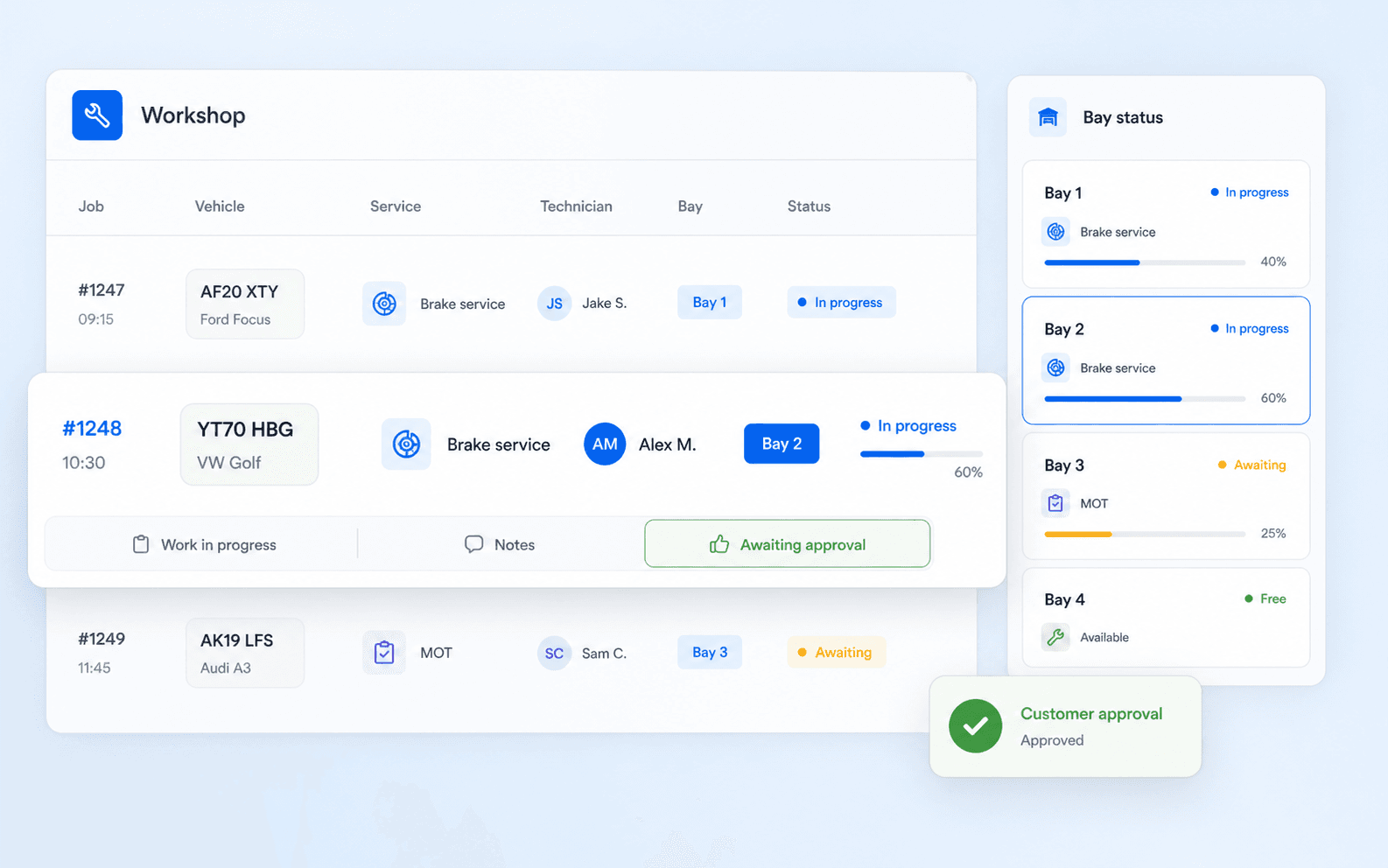
See where every active job stands
Open the workshop view to check the assigned technician, bay, recorded work, and approvals. Technicians can update the job card as the work moves.
- Job and bay status at a glance
- Technician assignments and time records
- Inspection notes, photos, and customer approvals
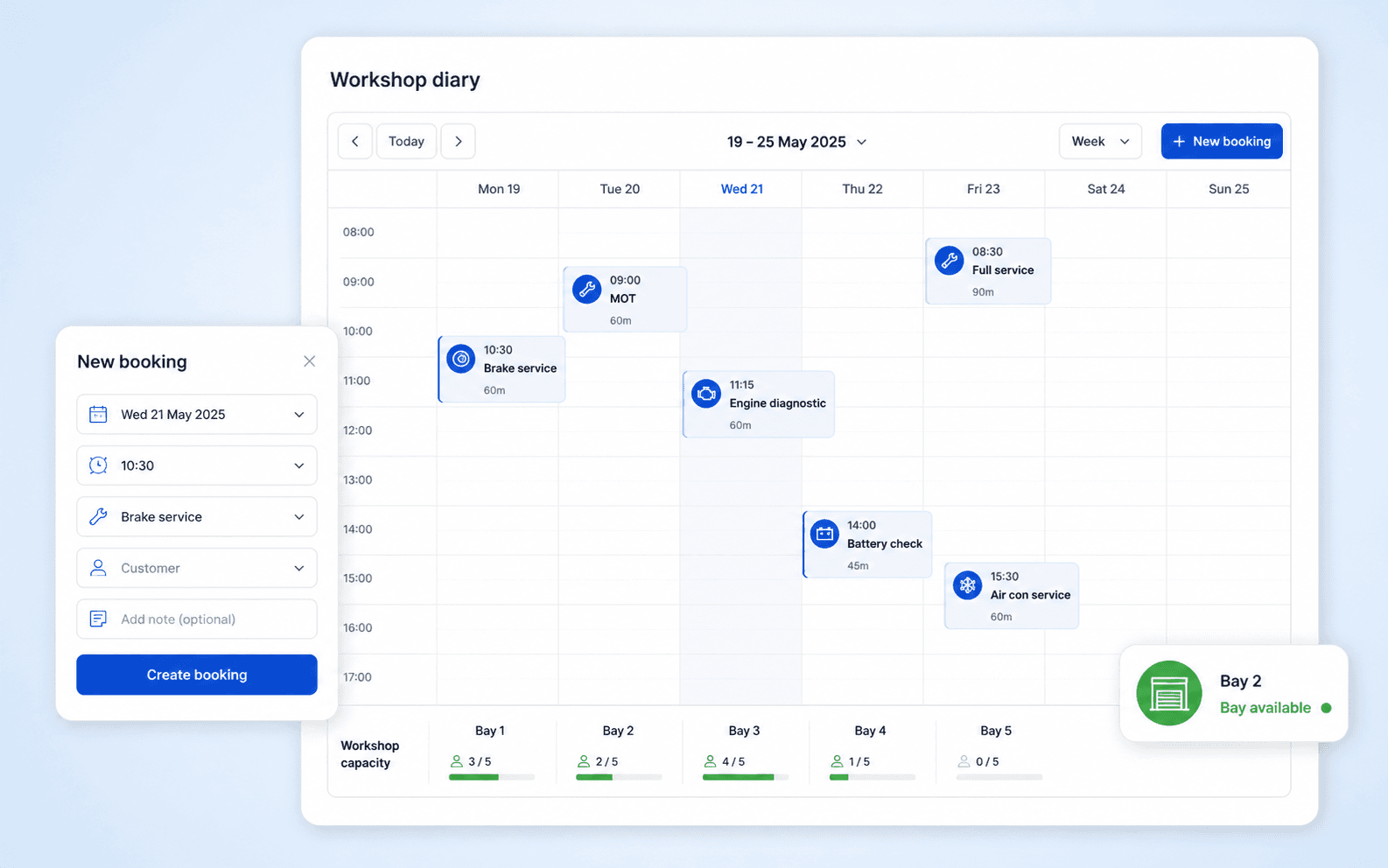
Plan the diary before the day gets busy
Record online requests, phone bookings, and walk-ins in one diary. Check capacity before you promise a time, and keep each booking linked to the customer and vehicle.
- Online booking requests at any time
- A diary view of workshop capacity
- Customer and vehicle details ready for the job
Give customers a clear answer when they call
Open one record to see the vehicle history, current booking, job notes, estimate, approval, and invoice. Your team spends less time searching and gives the customer a useful update.
Vehicle history in context
See the vehicle, customer, and previous work together before you advise on the next job.
Updates tied to the work
Keep notes and approvals with the job so the front desk knows what the workshop is waiting for.
A useful record for next time
Keep completed work and service history ready when the customer returns.
Know what went into the job before you invoice it
Record parts and labour as the work happens. When the repair is approved, the estimate and invoice can use the same job details instead of asking someone to enter them again.
Explore parts inventoryStock on hand
Check what is available before the workshop commits a part to the job.
Parts on the job
Record the parts and labour used while the work is still open.
Supplier purchasing
Keep purchase and supplier details with the parts process.
Invoice-ready details
Use the approved work and recorded costs when you prepare the invoice.
Built around workshop roles
Give everyone the same version of the job
The owner, service advisor, technician, and parts team can work from the same booking and job record. That removes handovers where details can go missing.
For owners
Check open work, billed work, payments, and workshop performance without building a separate spreadsheet.
For service advisors
Manage the diary, estimate, approval, customer update, and invoice around the same job.
For technicians
Open assigned work, add notes and photos, and update progress from a workshop device.
For growing garages
Use the same process across more staff, bays, and locations while keeping a shared view of the work.
See autoGMS on your workshop process
Book a walkthrough of the booking, workshop, parts, customer, and invoicing tools your garage would use.
Questions from independent garage owners
What to check before you change the system your team uses every day.