How to Use the Balance Sheet in AutoGMS
Learn how to use the Balance Sheet in AutoGMS to track assets, liabilities, and equity and understand your garage’s financial position clearly.
While the Profit & Loss report shows how much your garage is earning over a period of time, the Balance Sheet shows where your business stands at a specific point in time.
In simple terms:
Profit & Loss answers: Are we making money?
Balance Sheet answers: What do we own and what do we owe right now?
The Balance Sheet in AutoGMS provides a clear snapshot of your garage’s financial position. It shows:
Your total assets
Your total liabilities
Your owner’s equity
This report helps you understand whether your business is financially stable, overextended, or in a strong position to grow.
In this guide, you will learn how to read each section of the Balance Sheet and what the numbers mean for your garage operations.
What the Balance Sheet Shows at a Glance
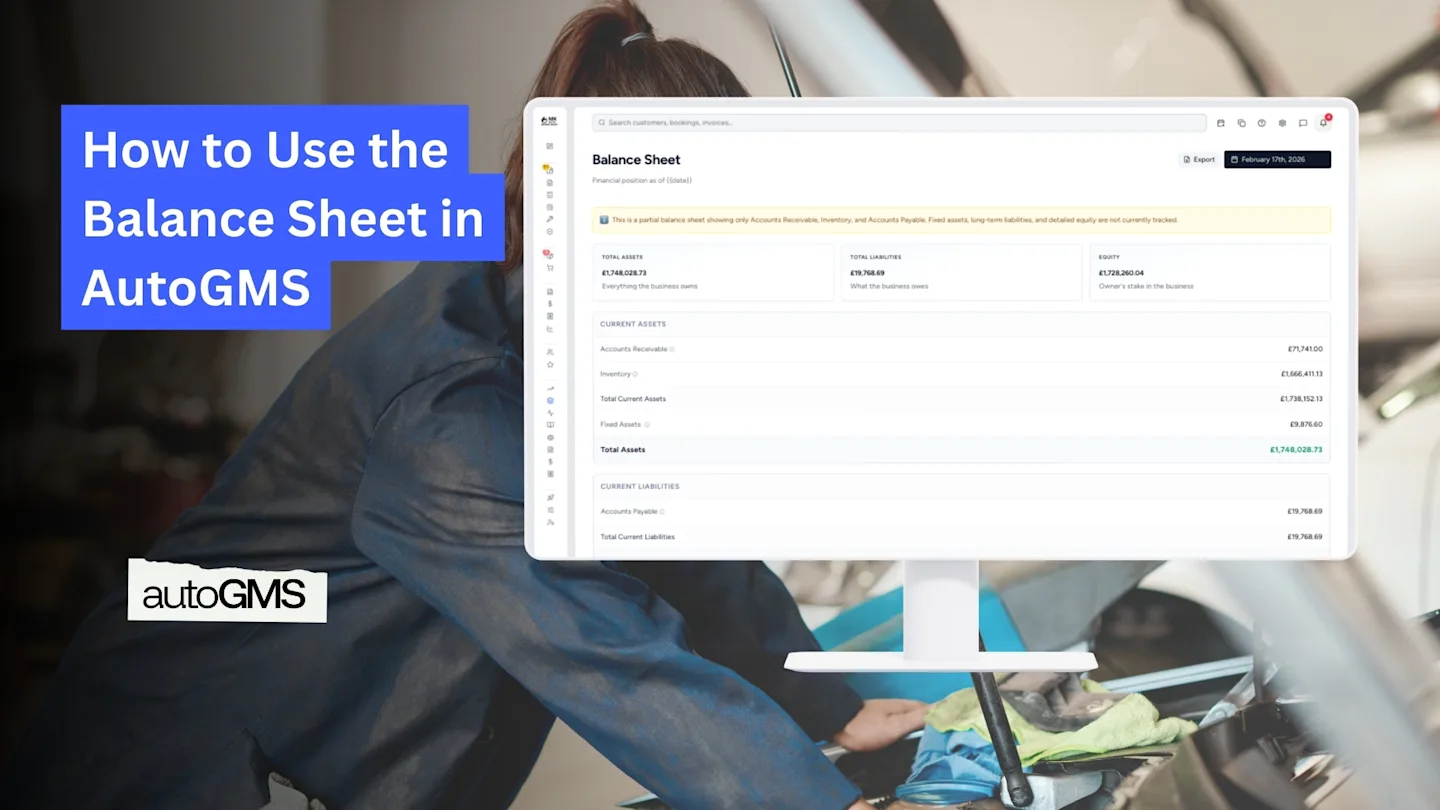
At the top of the Balance Sheet page, AutoGMS gives you a quick financial summary using three key figures:
Total Assets
This represents everything your business owns. It may include:
Accounts Receivable (money customers owe you)
Inventory (parts currently in stock)
Fixed assets (if tracked)
Total Assets show the overall value of resources your garage controls.
Total Liabilities
This represents everything your business owes. Typically, this includes:
Accounts Payable (supplier invoices not yet paid)
Liabilities reflect your current financial obligations.
Equity
Equity represents the owner’s stake in the business.
It is calculated as:
Total Assets – Total Liabilities
In simple terms, equity shows what would remain if you paid off all debts today.
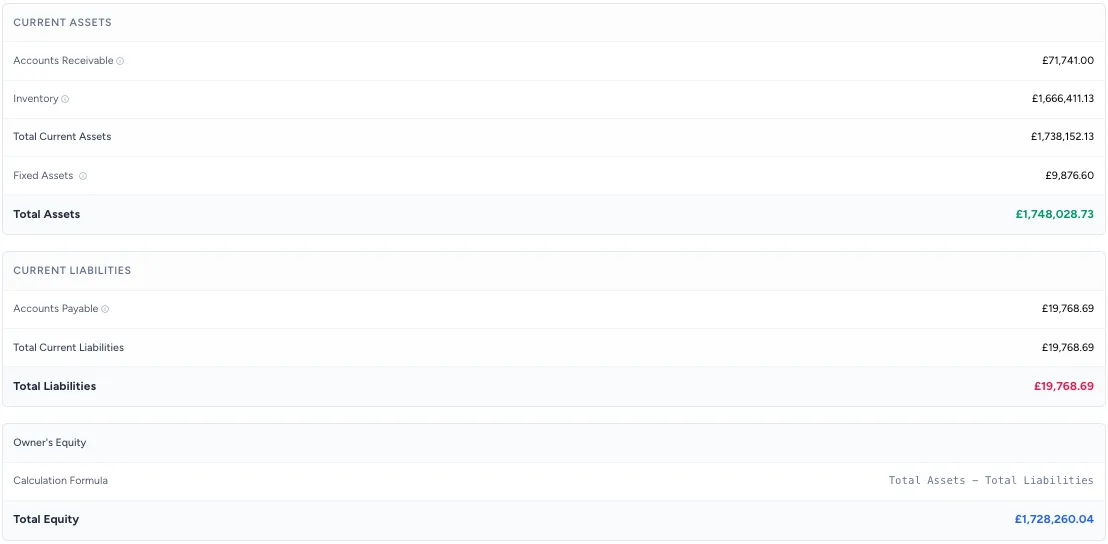
These three figures together give you a quick snapshot of your financial position at the selected date.
Final Thoughts on the Balance Sheet
The Balance Sheet in AutoGMS gives you a clear picture of where your garage stands financially at a specific moment.
While the Profit & Loss report shows performance over time, the Balance Sheet shows your position today:
What you own
What you owe
What truly belongs to you
Reviewing this report regularly helps you manage cash flow, monitor supplier obligations, and understand the real financial strength of your business.
Used together with the Profit & Loss report, it gives you complete financial visibility inside AutoGMS.
Frequently asked questions
Why is this considered a partial Balance Sheet?
AutoGMS provides an operational Balance Sheet designed for management visibility. It may not include all long-term accounting elements required for statutory financial reporting.
What does Accounts Receivable represent?
Accounts Receivable shows the total amount customers still owe you for completed jobs.
What does Accounts Payable represent?
Accounts Payable shows supplier invoices that have not yet been paid.
Does this replace my accountant’s Balance Sheet?
No. The AutoGMS Balance Sheet is designed for internal management use. For official tax and compliance reporting, consult your accountant.