The Expenses Dashboard: A Clear Overview of Spending
Track workshop expenses, manage recurring costs, and monitor VAT with a clear finance dashboard built for auto repair garages.
On this page
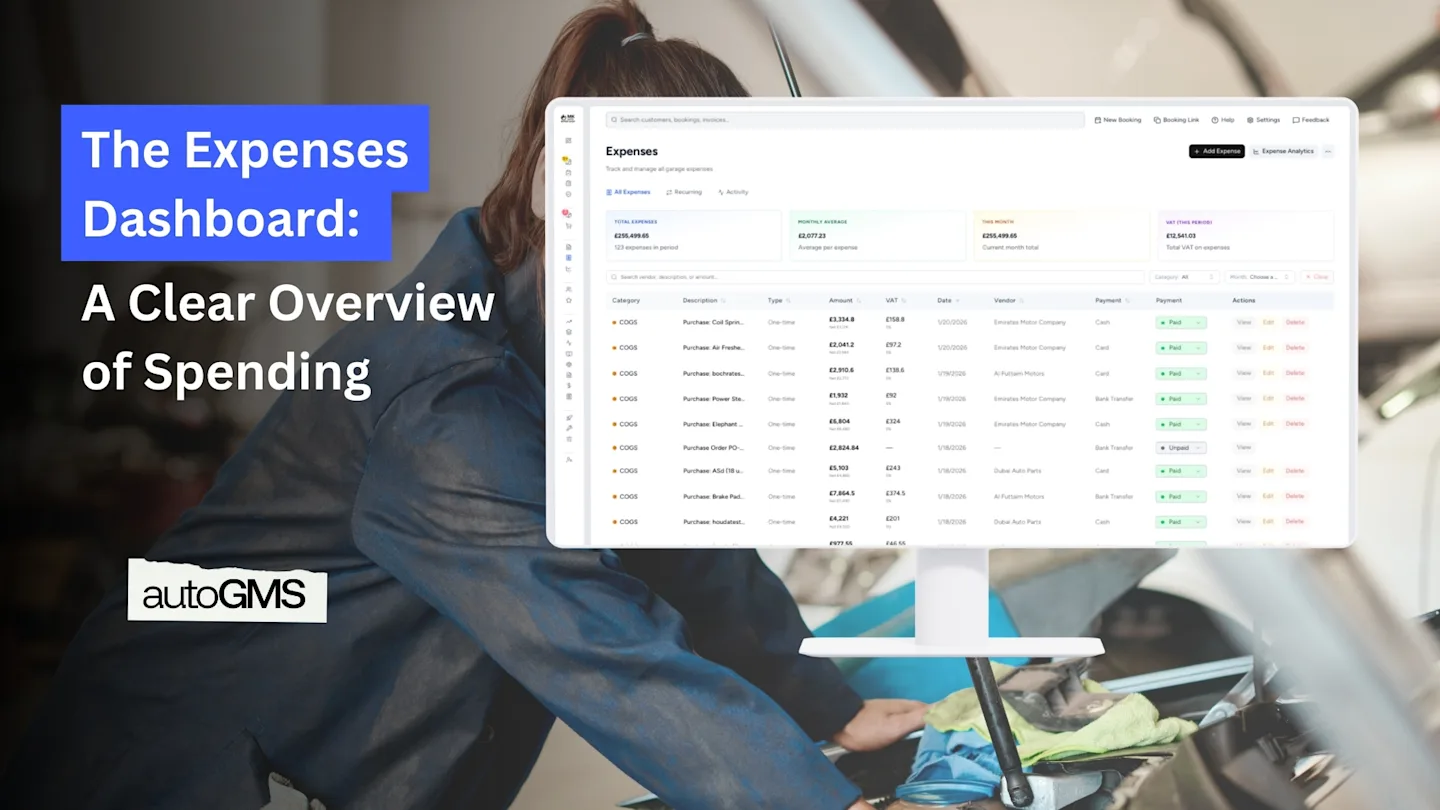
The main Expenses screen shows a complete overview of all recorded expenses.
From this page, you can see:
Total expenses for the selected period
Monthly average spending
Current month total
VAT paid on expenses
A detailed list of every expense entry
Expenses can be searched, filtered by category, or reviewed by month, making it easy to find specific costs when needed.
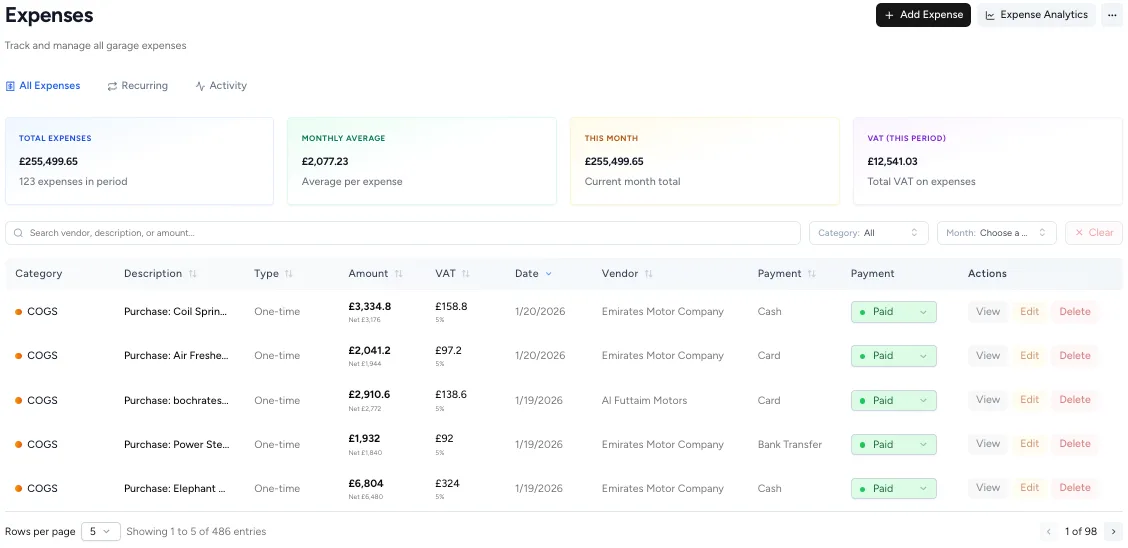
This screen answers a key question immediately: “How much is the garage spending, and where?”
Understanding Expense Categories
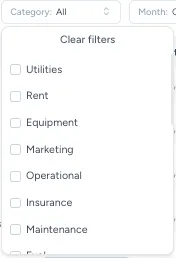
Every expense is assigned a category so costs stay organized and meaningful.
Common expense categories include:
COGS (cost of goods sold)
Rent
Utilities
Equipment
Insurance
Fuel
Labor
Maintenance
Marketing
Administrative and other costs, etc.....
Categorizing expenses correctly makes later reporting clearer and more accurate.
Adding an Expense: Recording Costs as They Happen
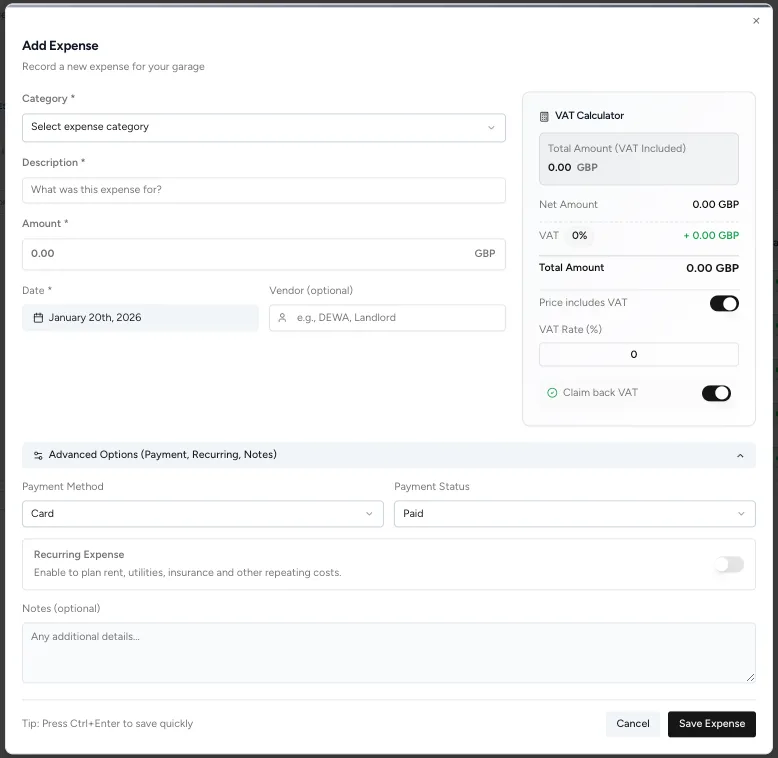
When a new cost occurs, it can be recorded instantly using Add Expense.
From the Add Expense screen, you can enter:
Expense category
Description
Amount
Date
Vendor (optional)
Payment method
Payment status (paid or unpaid)
VAT is calculated directly in the form, including:
Net amount
VAT amount
Total amount
Option to mark VAT as reclaimable
This keeps expense records accurate from the start.
Managing Recurring Expenses Automatically
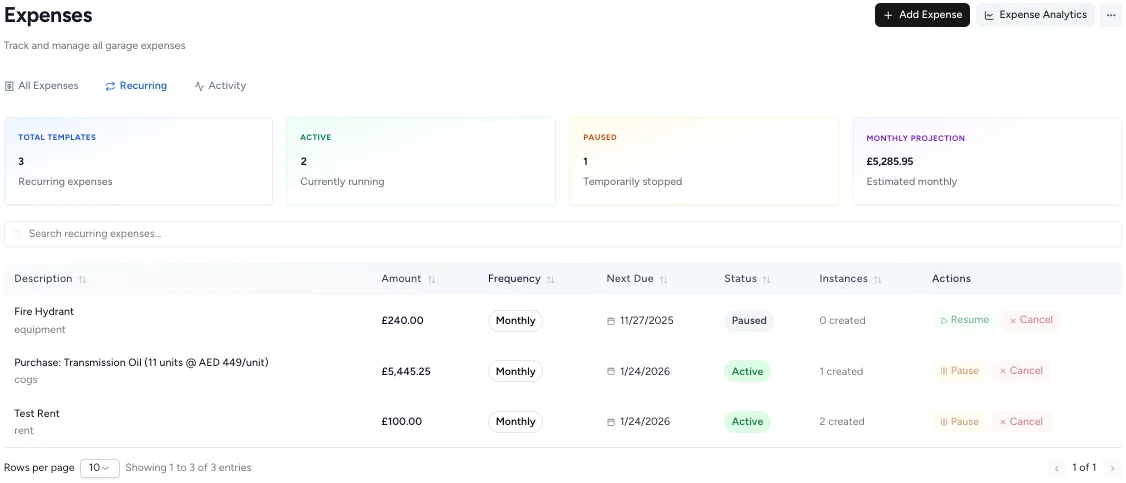
Some workshop costs repeat every month. Rent, utilities, insurance, and subscriptions should not require manual re-entry.
The Recurring Expenses tab allows garages to:
Create recurring expense templates
Set frequency (monthly)
See which recurring expenses are active or paused
View estimated monthly projections
This helps workshops plan ahead and avoid forgetting fixed costs.
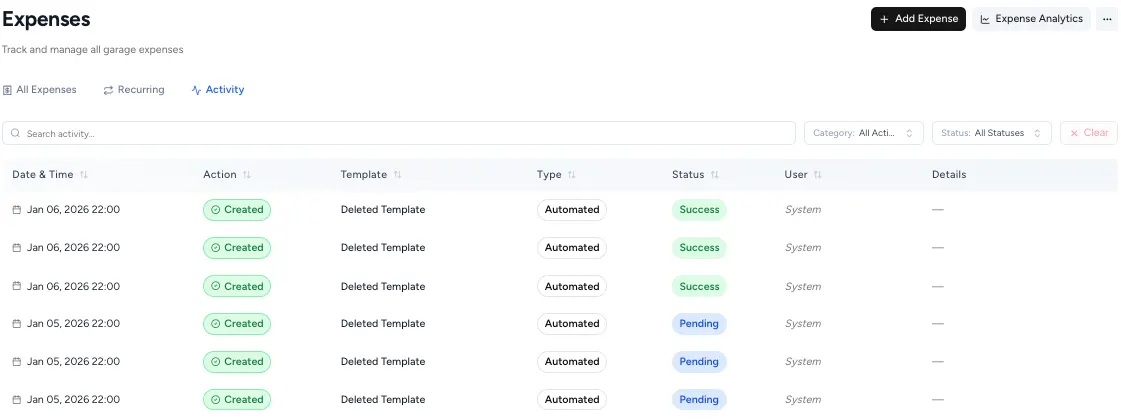
Expense Activity: A Full Audit Trail
The Activity tab shows a complete log of expense-related actions.
From this view, you can see:
When expenses were created
Whether they were automated or manual
Status of recurring templates
System actions and updates
This creates transparency and accountability, especially for teams with multiple users.
Why Accurate Expense Tracking Matters
Tracking expenses consistently helps garages:
Understand real operating costs
Identify areas where spending can be reduced
Prepare accurate financial reports
Make better pricing and staffing decisions
Without clear expense data, profit numbers are only guesses.
How Expenses Fit Into the Finance Workflow
Expenses are a core part of the finance workflow:
Income is generated through bookings and invoices
Expenses record the cost of running the workshop
Both feed into financial reports and analytics
This ensures garage owners can see not just revenue, but real profitability.
The Expense Analytics button next to “Add Expense” leads to detailed financial analysis, which will be covered in the next guide.
Conclusion: Clear Expenses Lead to Clear Decisions
Running a successful garage is not just about fixing cars, it’s about controlling costs.
With a structured Expenses system, workshops can:
Record costs accurately
Track recurring expenses automatically
Keep VAT and payment details organized
Build a reliable foundation for financial analysis
When expenses are visible and well-organized, garage owners can make decisions with confidence instead of assumptions.
Frequently asked questions
What types of expenses can be tracked in a garage management system?
Garages can track expenses such as parts purchases, rent, utilities, equipment, fuel, insurance, labor, maintenance, marketing, and other operational costs.
What are recurring expenses and why are they useful?
Recurring expenses are repeating costs like rent, utilities, or insurance. Tracking them automatically helps garages plan monthly spending and avoid missed entries.
How do expenses connect to garage financial reports?
Recorded expenses are used alongside invoices to calculate profitability and power financial reports such as profit and loss and expense analytics.