How to Use the General Ledger in AutoGMS
Learn how to use the General Ledger in AutoGMS to review transactions, track debits and credits, and reconcile financial balances accurately.
On this page
The General Ledger is the most detailed financial report in AutoGMS.
While:
Profit & Loss shows performance
Balance Sheet shows position
Cash Flow shows liquidity
The General Ledger shows the complete history of all financial transactions recorded in the system.
It provides a transaction-by-transaction breakdown of:
Revenue entries
Expense entries
Credits and debits
Opening and closing balances
This report is essential for internal auditing, reconciliation, and deeper financial review.
In this guide, you will learn how to read and use the General Ledger inside AutoGMS.
What the General Ledger Shows at a Glance
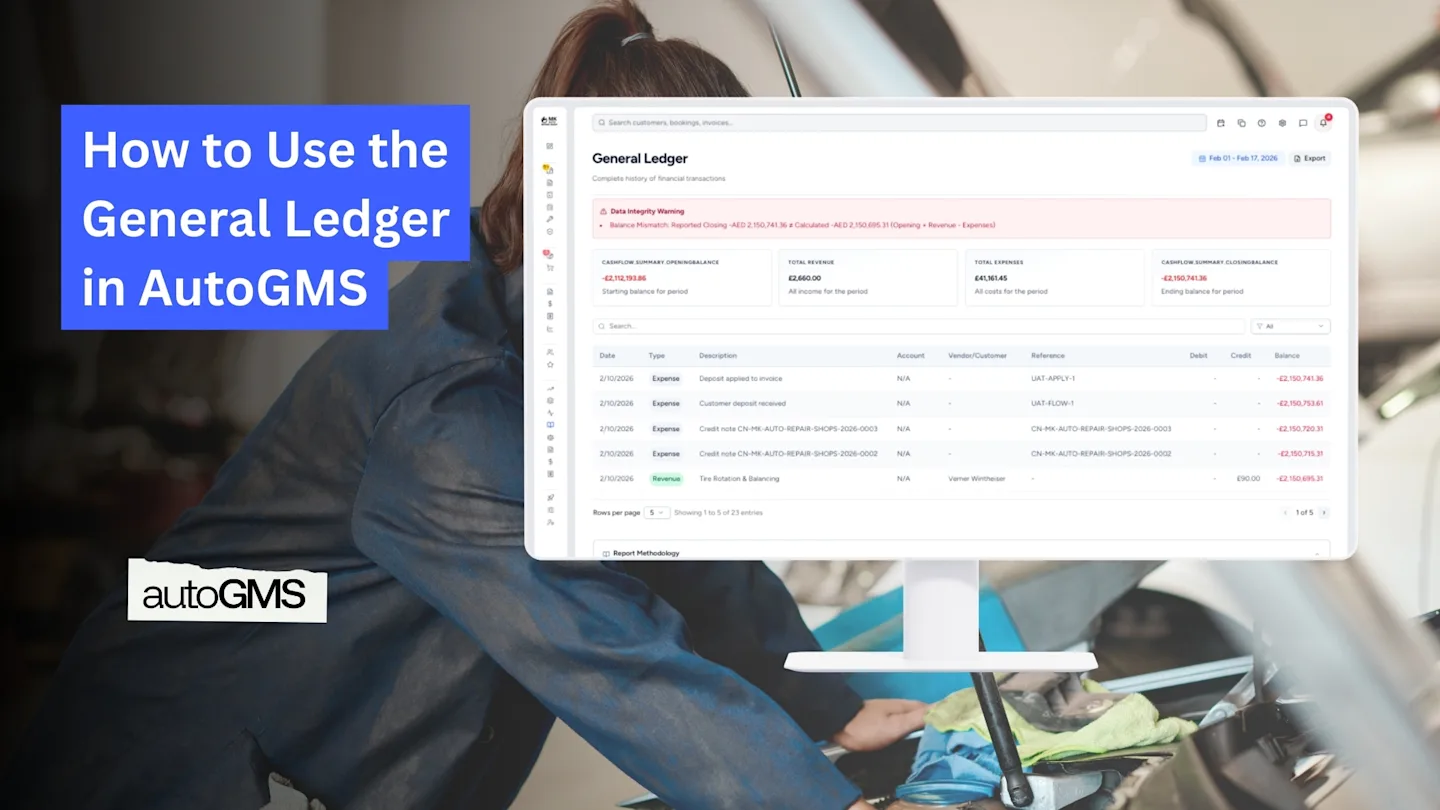
At the top of the report, you will see summary cards:
Opening Balance – Starting balance for the selected period
Total Revenue – All income recorded during the period
Total Expenses – All costs recorded during the period
Closing Balance – Ending balance for the selected period
If there is any mismatch between calculated and reported balances, a Data Integrity Warning will appear.

These summary figures help you quickly validate whether the numbers align.
Understanding the Transaction Table
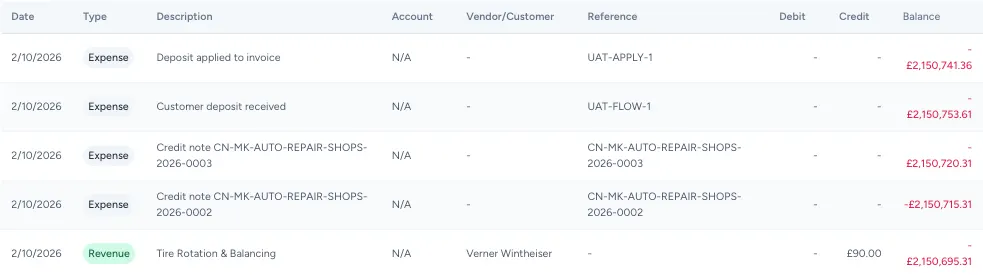
Below the summary, you will see a detailed transaction table.
Each row represents a financial transaction and includes:
Date
Type (Revenue or Expense)
Description
Vendor/Customer
Reference
Debit
Credit
Running Balance
This section allows you to trace exactly how each transaction affected your balance.
Understanding Debit and Credit
AutoGMS follows a double-entry accounting system, meaning:
Every transaction has a debit entry
Every transaction has a credit entry
This ensures the accounting equation always remains balanced.
You do not need to manually manage debits and credits, but understanding them helps when reviewing discrepancies or reconciling with your accountant.
Data Integrity Warning Explained
If the system detects that:
Opening Balance + Revenue – Expenses ≠ Closing Balance
You may see a Balance Mismatch Warning.
This usually indicates:
Manual adjustments
Backdated entries
Incomplete transactions
Review the transaction list carefully if this appears.
When Should You Use the General Ledger?
The General Ledger is useful when you need:
Detailed transaction audits
Month-end reconciliation
Accountant review
Investigation of discrepancies
For daily management, Profit & Loss and Cash Flow may be enough. For full transparency, use the General Ledger.
Conclusion
The General Ledger is the most detailed financial report in AutoGMS.
It provides complete transparency over every recorded transaction and ensures your financial data remains traceable and balanced.
If you need to verify numbers, investigate differences, or prepare for accountant review, this is the report to use.
Frequently asked questions
Is the General Ledger necessary for daily review?
Not usually. It is mainly used for reconciliation, audits, or deeper financial checks.
What does a Balance Mismatch warning mean?
It means the calculated closing balance does not match the recorded closing balance. Review transactions for errors or backdated entries.
Does AutoGMS use double-entry accounting?
Yes. Every transaction includes corresponding debit and credit entries.
Can I export the General Ledger?
Yes. Use the Export button to download the report for sharing with your accountant.