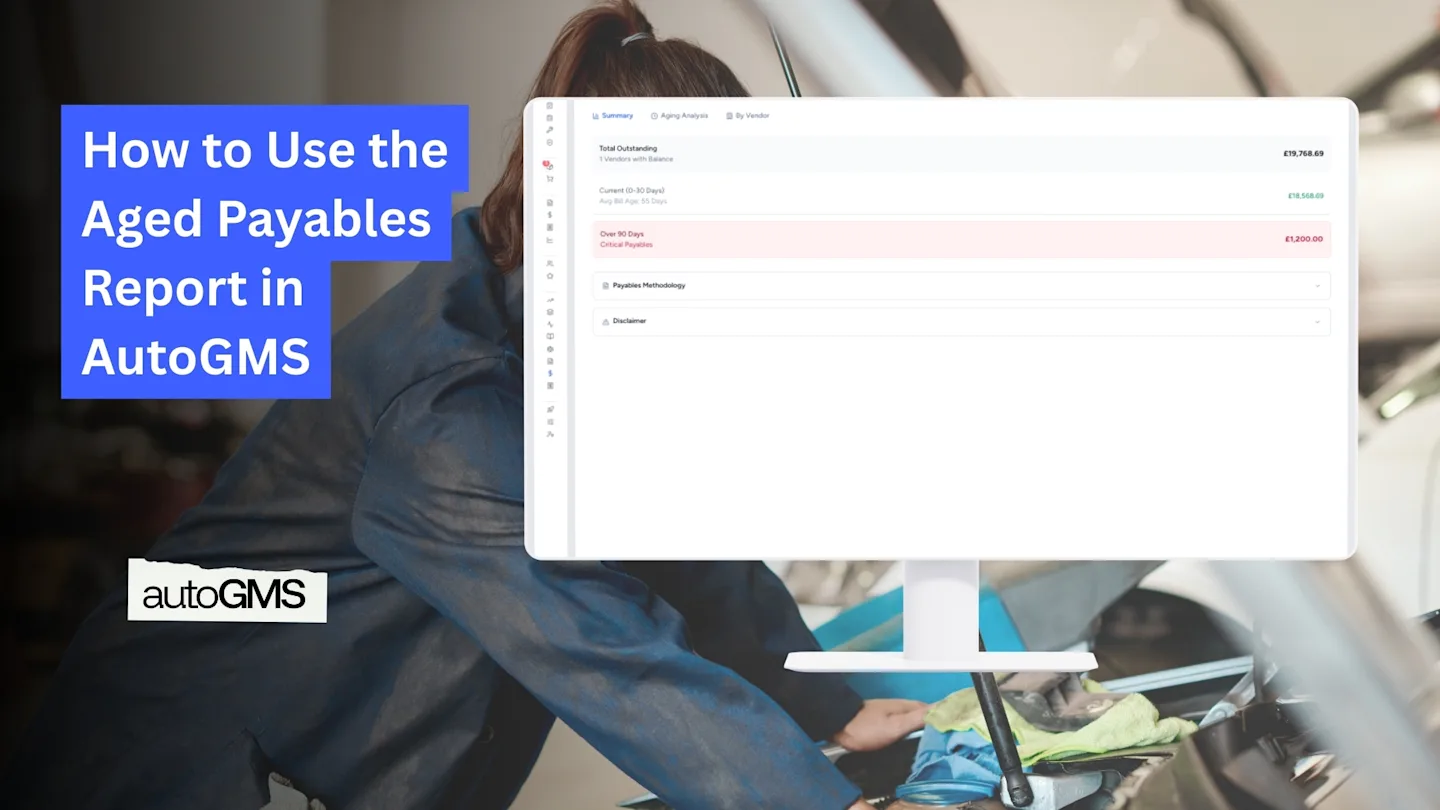
How to Use the Aged Payables Report in AutoGMS
Learn how to use the Aged Payables Report in AutoGMS to track vendor bills, overdue payments, and manage supplier obligations effectively.
On this page
The Aged Payables Report in AutoGMS shows all outstanding vendor bills and organizes them based on how long they have been unpaid.
While the Aged Receivables report shows who owes you money, the Aged Payables report shows who you owe money to.
This report helps you:
Monitor unpaid supplier bills
Avoid late payment penalties
Maintain strong vendor relationships
Manage outgoing cash flow
In this guide, you will learn how to read each section of the Aged Payables report and use it effectively.
What the Aged Payables Report Shows at a Glance (Summary Tab)
The Summary tab gives you a quick overview of your vendor obligations.
You will see:
Total Outstanding
The total amount you currently owe to vendors.
You will also see aging highlights such as:
Current (0–30 Days)
Over 90 Days (Critical Payables)
If a large portion of payables falls into the 60+ or 90+ days category, immediate attention may be required.
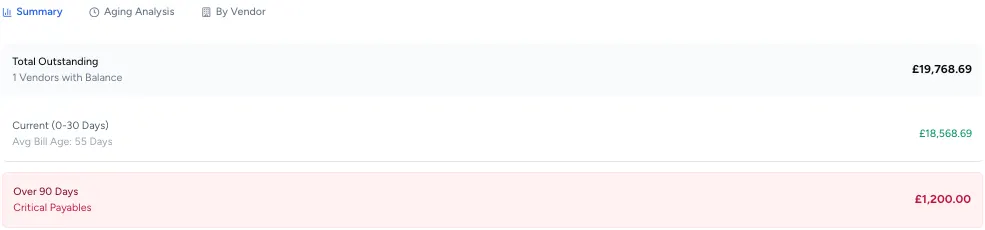
This section helps you quickly assess payment risk.Understanding the Aging Analysis Tab
The Aging Analysis tab groups unpaid vendor bills into time buckets:
Current (Not Due)
1–30 Days Past Due
31–60 Days Past Due
61–90 Days Past Due
Over 90 Days Past Due
Each row displays:
Total amount
Number of bills
Percentage of total payables
This allows you to understand how overdue your supplier payments are.
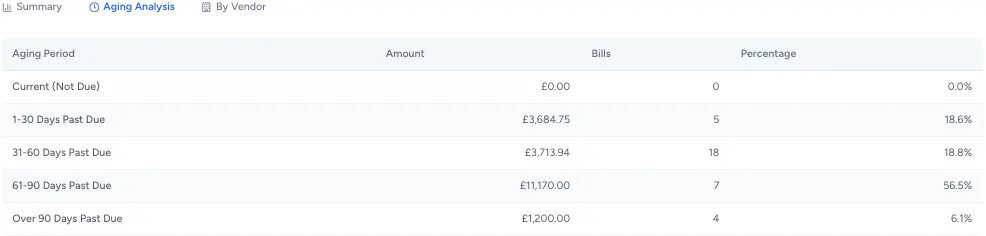
If most of your payables are within the current or 1–30 day range, your payment management is healthy.
Understanding the By Vendor Tab
The By Vendor tab groups outstanding balances by supplier.
For each vendor, you can see:
Total amount owed
Breakdown by aging bucket
Oldest outstanding bill (in days)
This helps you:
Prioritize vendor payments
Identify suppliers at risk of delayed payments
Manage negotiation or payment scheduling

This view is useful when planning outgoing payments.
Important Notes
Aging is calculated based on the Bill Date.
The report reflects unpaid vendor expenses recorded in the system.
It is designed for internal management use.
Regular review prevents supplier disputes and protects your credit standing.
When Should You Review Aged Payables?
Recommended frequency:
Weekly for active workshops
Before processing supplier payments
During month-end review
When managing cash flow planning
Proper payable management ensures smooth operations.
Conclusion
The Aged Payables Report gives you visibility into outstanding vendor bills and overdue supplier payments.
Reviewing this report regularly helps you:
Stay organized
Avoid late fees
Protect supplier relationships
Maintain better cash flow control
Together with Aged Receivables, it gives you full control over incoming and outgoing obligations.
Frequently asked questions
What is the difference between Aged Payables and Aged Receivables?
Aged Receivables shows money customers owe you. Aged Payables shows money you owe to suppliers.
Why are some bills marked as overdue?
Bills move into overdue categories once the due date has passed without payment.
Should I worry about 90+ day payables?
Yes. Long overdue vendor bills can damage supplier relationships and credit terms.
Does this report include paid bills?
No. It only shows unpaid outstanding vendor bills.